Void a contract
Cancel a contract that is out for signature, what signers and the client see afterwards, and why signed contracts cannot be voided or deleted.
Voiding cancels a contract: nobody can sign it any more, and it is kept, marked Voided, as a record. Use it when a contract went out with a mistake, the deal fell through, or you want to send a corrected version.
Voiding needs the contracts void permission (owners, admins and accountants).
Which contracts can be voided
| Status | Can be voided? |
|---|---|
| Draft | Yes, from the list. You can also simply delete a draft. |
| Sent, Viewed, Partially signed | Yes |
| Signed | No. A fully signed contract is binding; end it according to its own terms. |
| Declined, Expired, Voided | No, they are already closed. |
Void a contract from its page
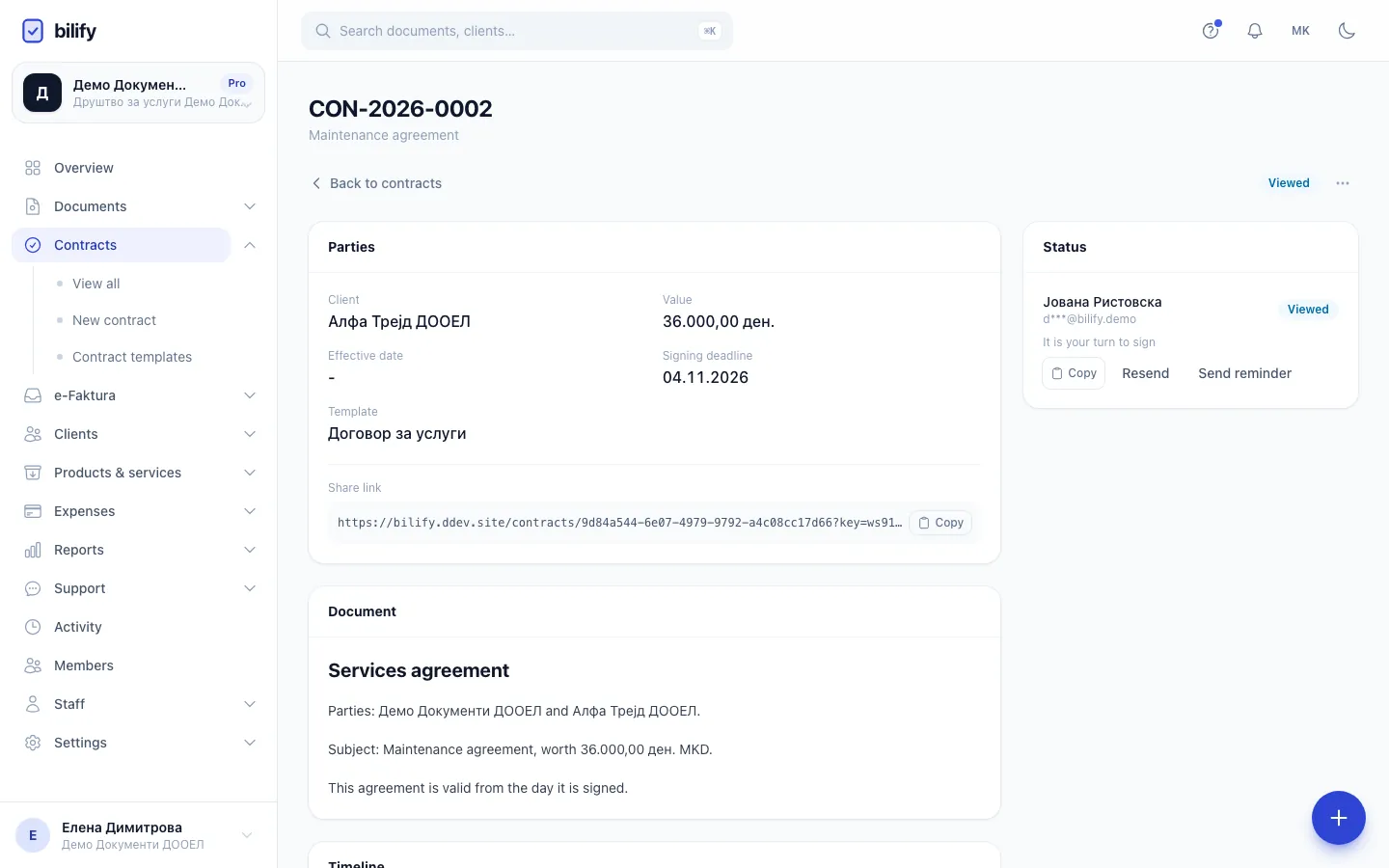
- Step 1: Open the menu at the top of the contract.
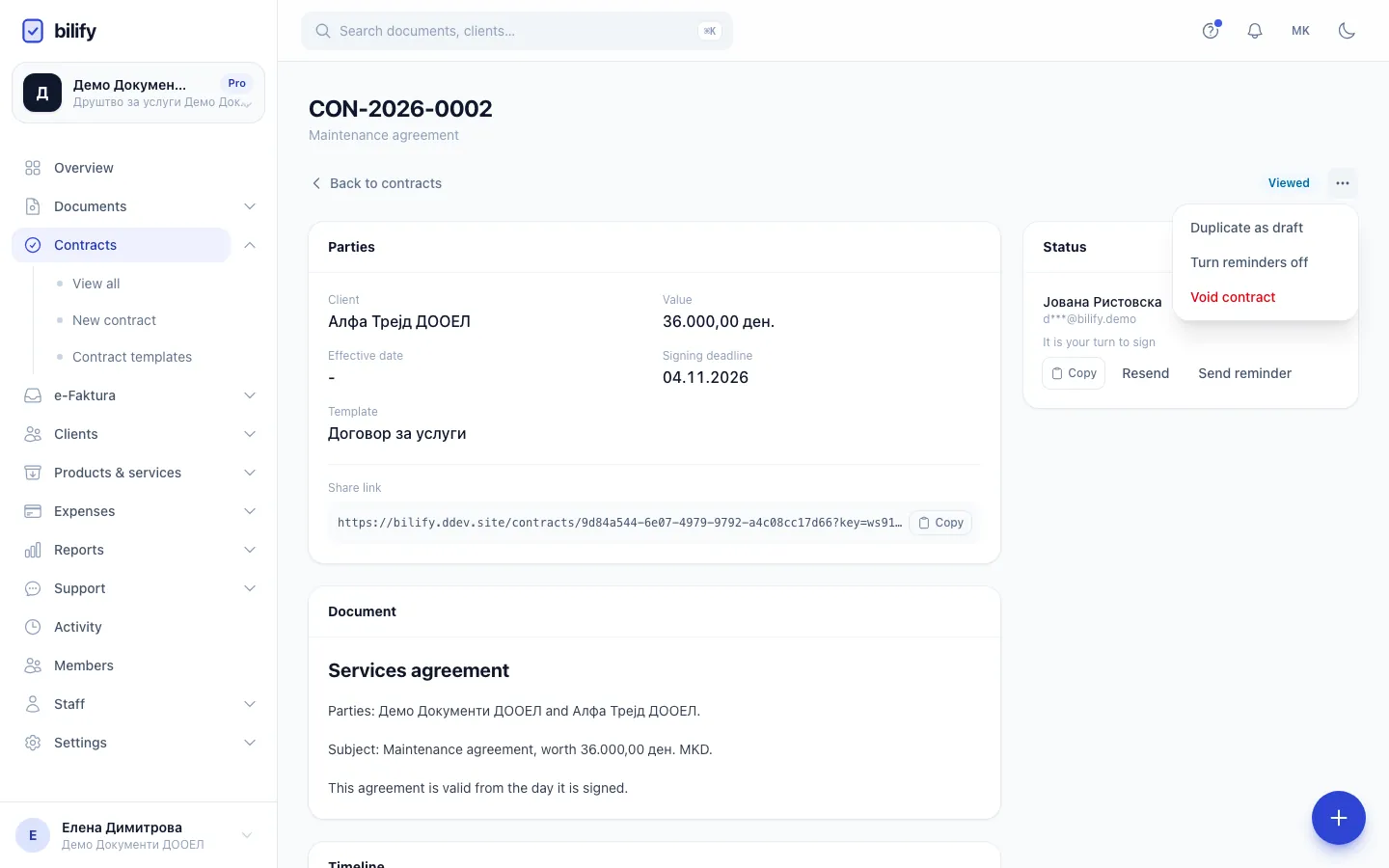
- Step 2: Void contract is offered while the contract is still open for signing.
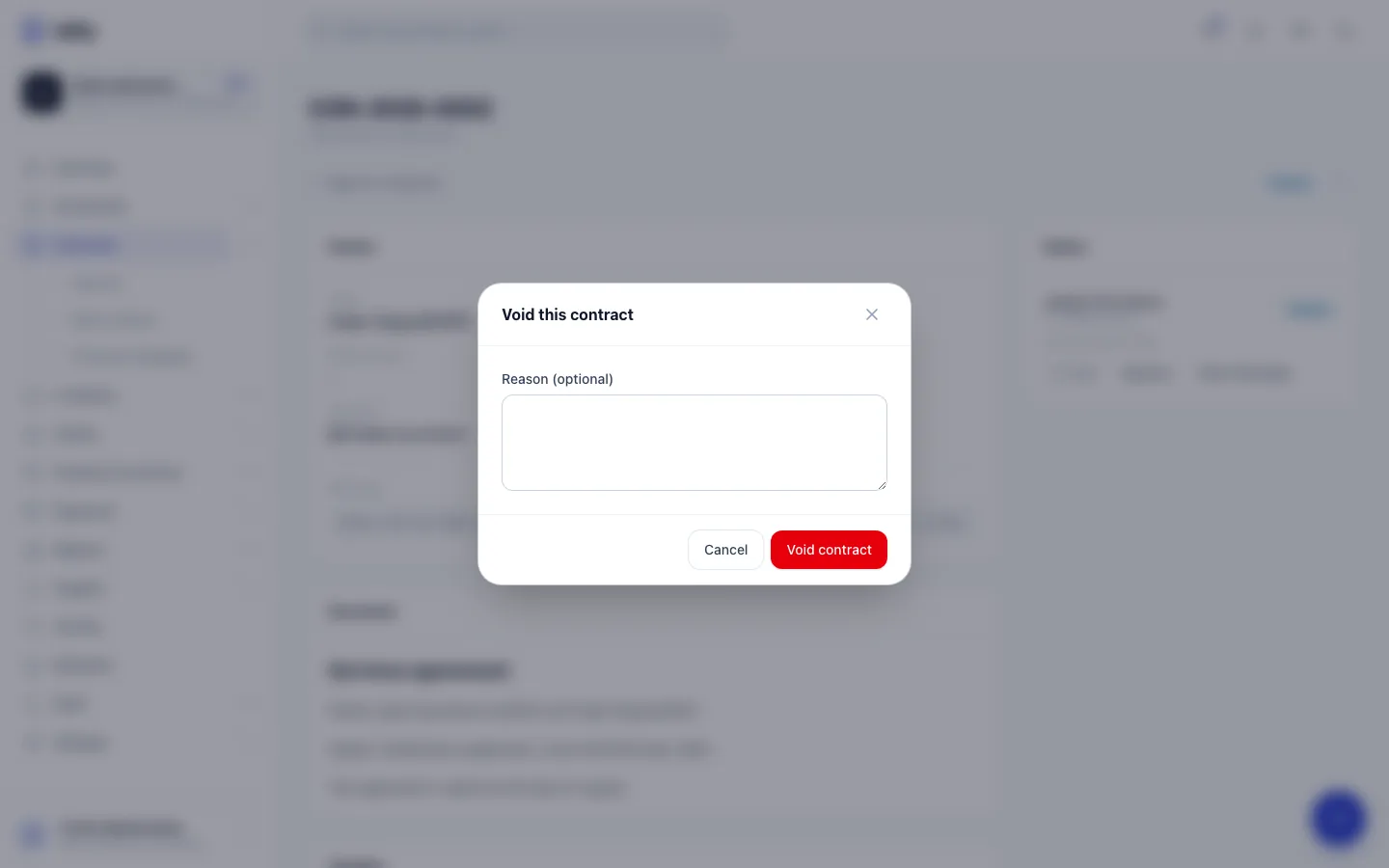
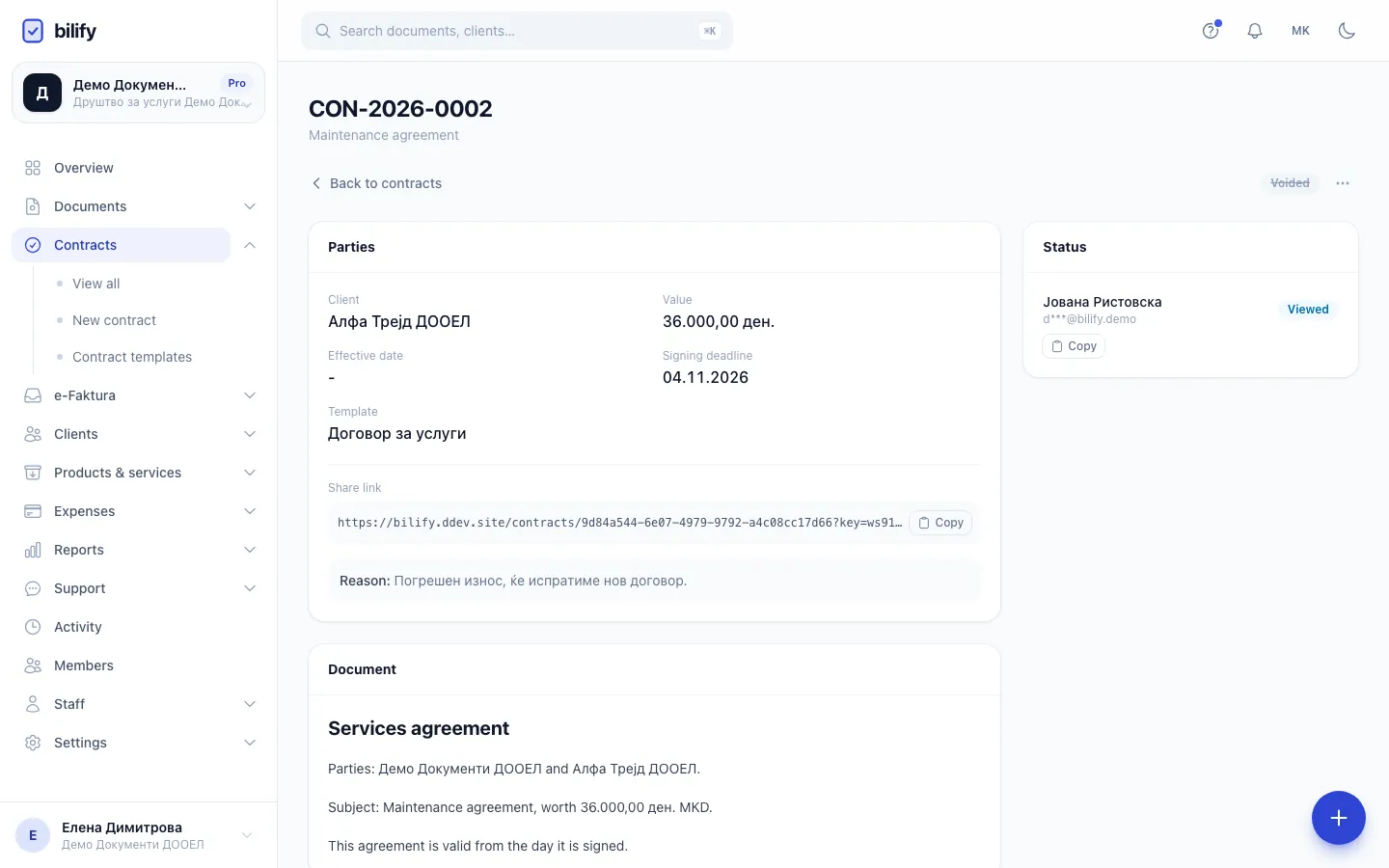
- Step 3: The reason is optional. It is shown on the contract page afterwards.
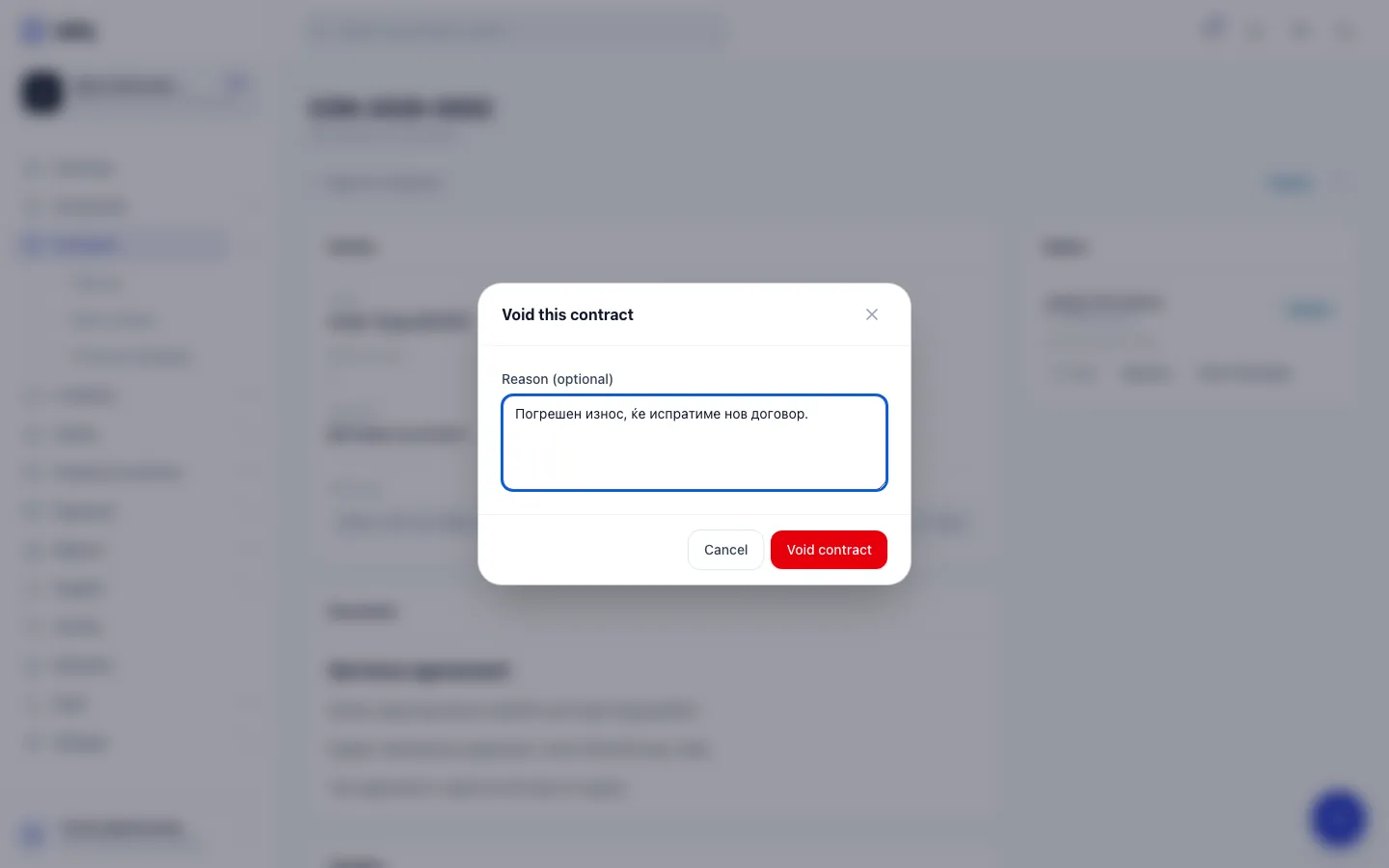
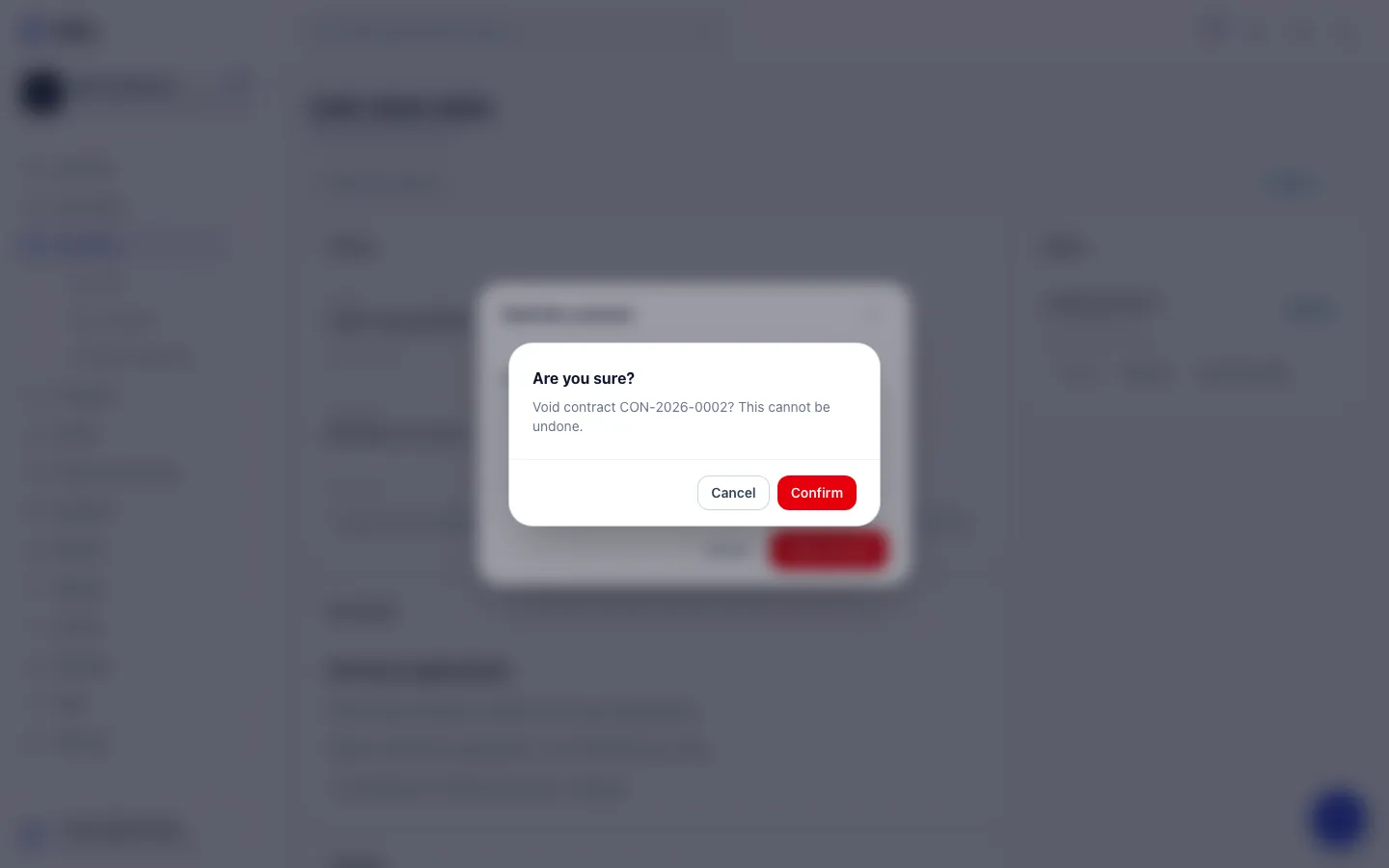
- Step 4: Void contract asks for a final confirmation, because voiding cannot be undone.
- Step 5: Confirm. Signing links stop working and signers who were emailed are told.
- Step 6: The contract is now Voided and stays in the list as a record.
- Open the contract.
- Open the menu (three dots) at the top right and choose Void contract.
- Optionally enter a Reason (optional). It is shown on the contract page afterwards.
- Click Void contract.
- Confirm Void contract CON-...? This cannot be undone.
The status changes to Voided straight away.
Void several at once
- In Contracts, tick the contracts.
- Click Void selected and confirm.
Only drafts and open contracts are voided; anything else in the selection is skipped. Bulk voiding does not ask for a reason.
What happens when you void
- Signing stops. The signing links stop working for everyone, including signers who have not been emailed yet.
- Signers are told. Every signer who had already received the signing email gets an email that the contract was voided. Signers still waiting for their turn get nothing, because they never received it.
- The client portal hides it. Voided contracts no longer appear in the client's contract list in the portal.
- The record stays. The contract, its timeline (with Contract voided, who did it and the reason) and any signatures given so far remain in Bilify. Sent contracts are legal records and cannot be deleted, only voided.
- Integrations are notified. Webhook endpoints subscribed to
contract.voidedreceive the event.
Voiding cannot be undone
There is no way to reopen a voided contract. If you voided by mistake, create a new one with Duplicate as draft and send it again. A voided contract still counts towards the month's sent contracts.
Send a corrected version
- On the voided contract, open the menu and choose Duplicate as draft.
- The new draft has the same client, text or PDF, signers and settings, a new number and "(copy)" after the title.
- Fix what was wrong, check the Signing deadline, and click Save and send.
Was this page helpful?
Related articles
Still stuck?
Write to us and we will get back to you within one working day.