API keys
Create, roll and revoke the keys your scripts use to call the Bilify REST API, for production or for the sandbox.
An API key lets your own software (an accounting sync, a shop, a script) call the Bilify REST API. This article shows how to create a key, how to replace it without downtime and how to switch it off.
Keys are managed under Settings > Integrations, in the REST API section. Owners and admins can create, roll and revoke keys. Other roles do not see the Integrations page.
Create a key
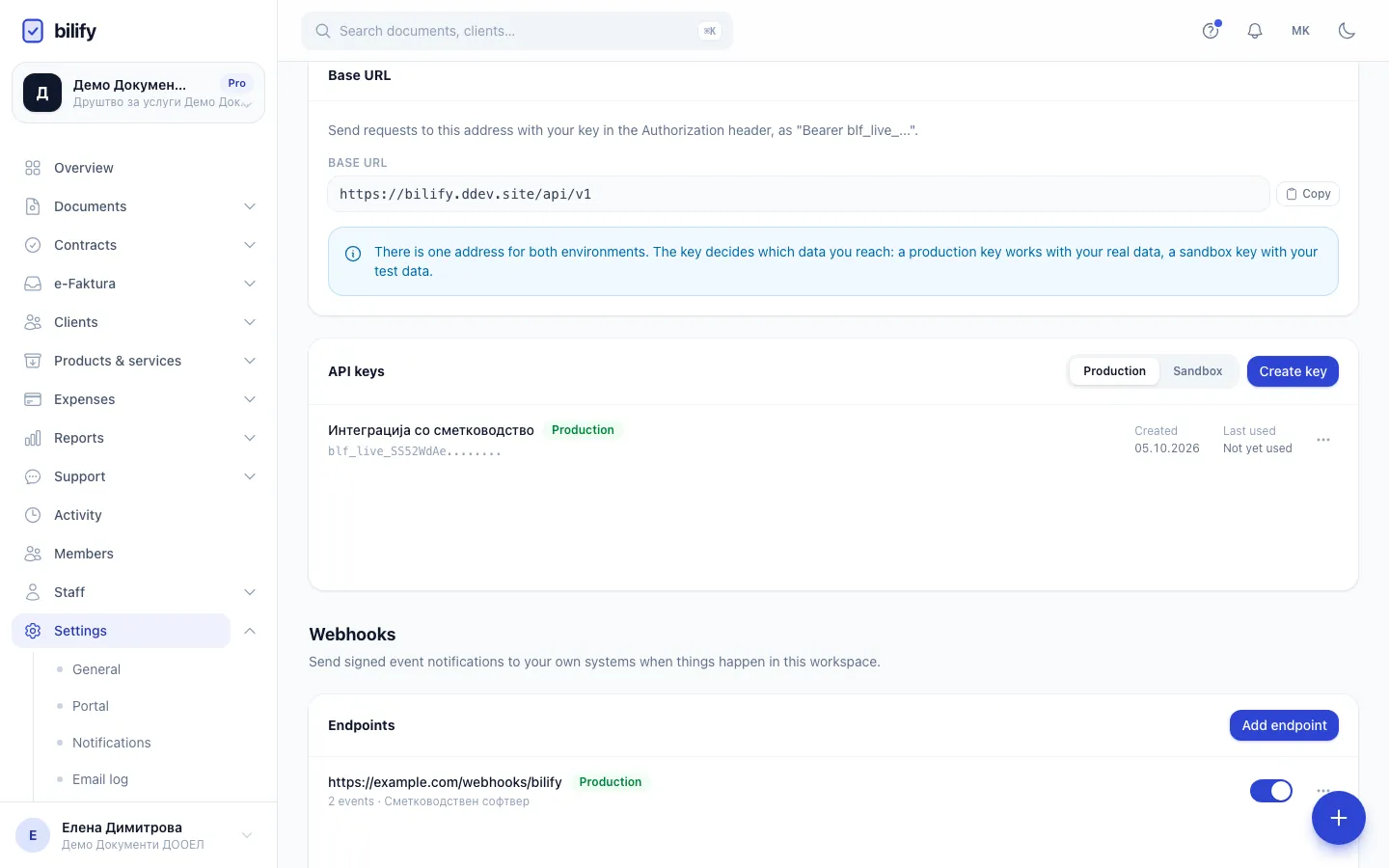
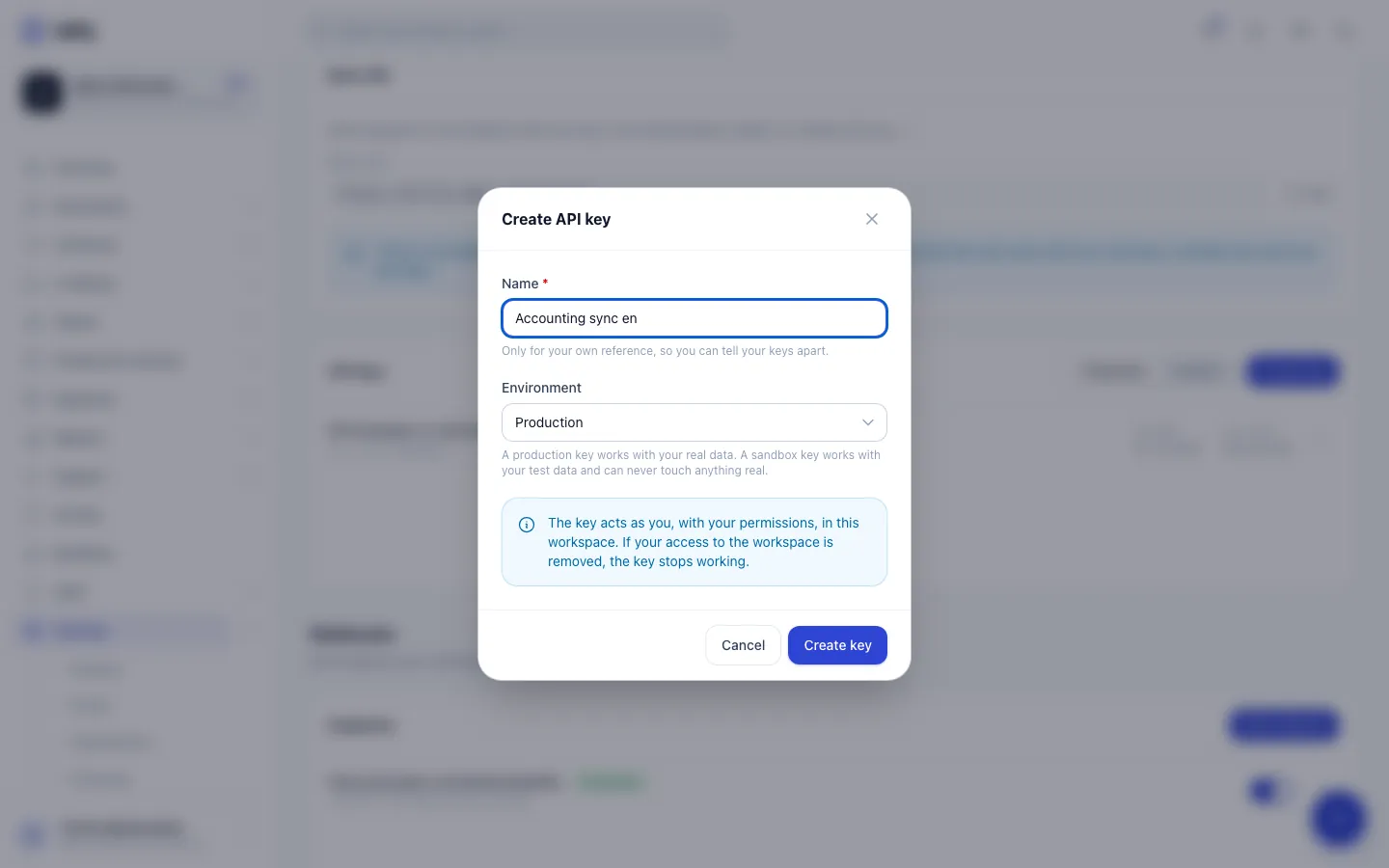
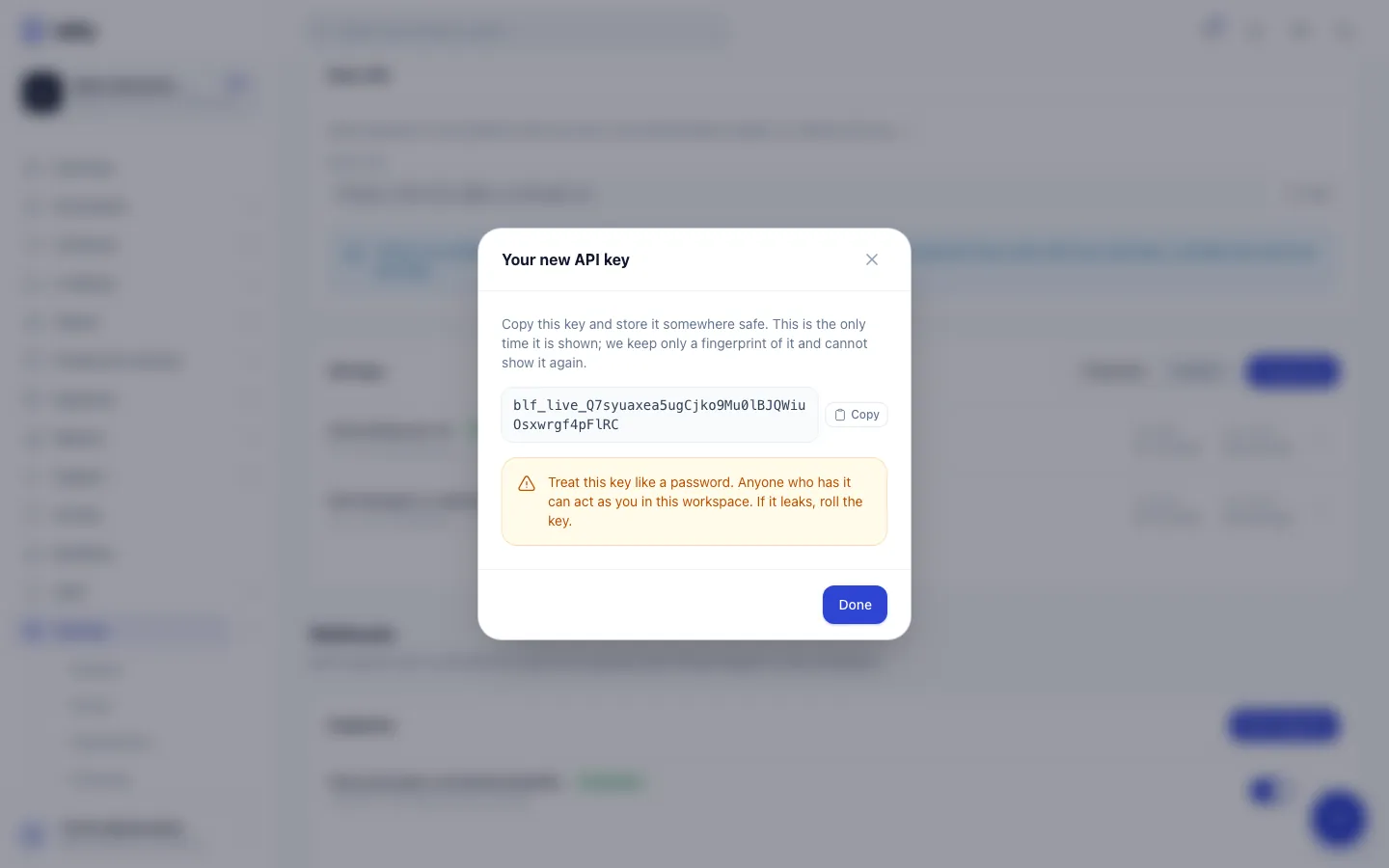
- Step 1: API keys lists your live keys with when each was created and last used. Only the start of each key is shown.
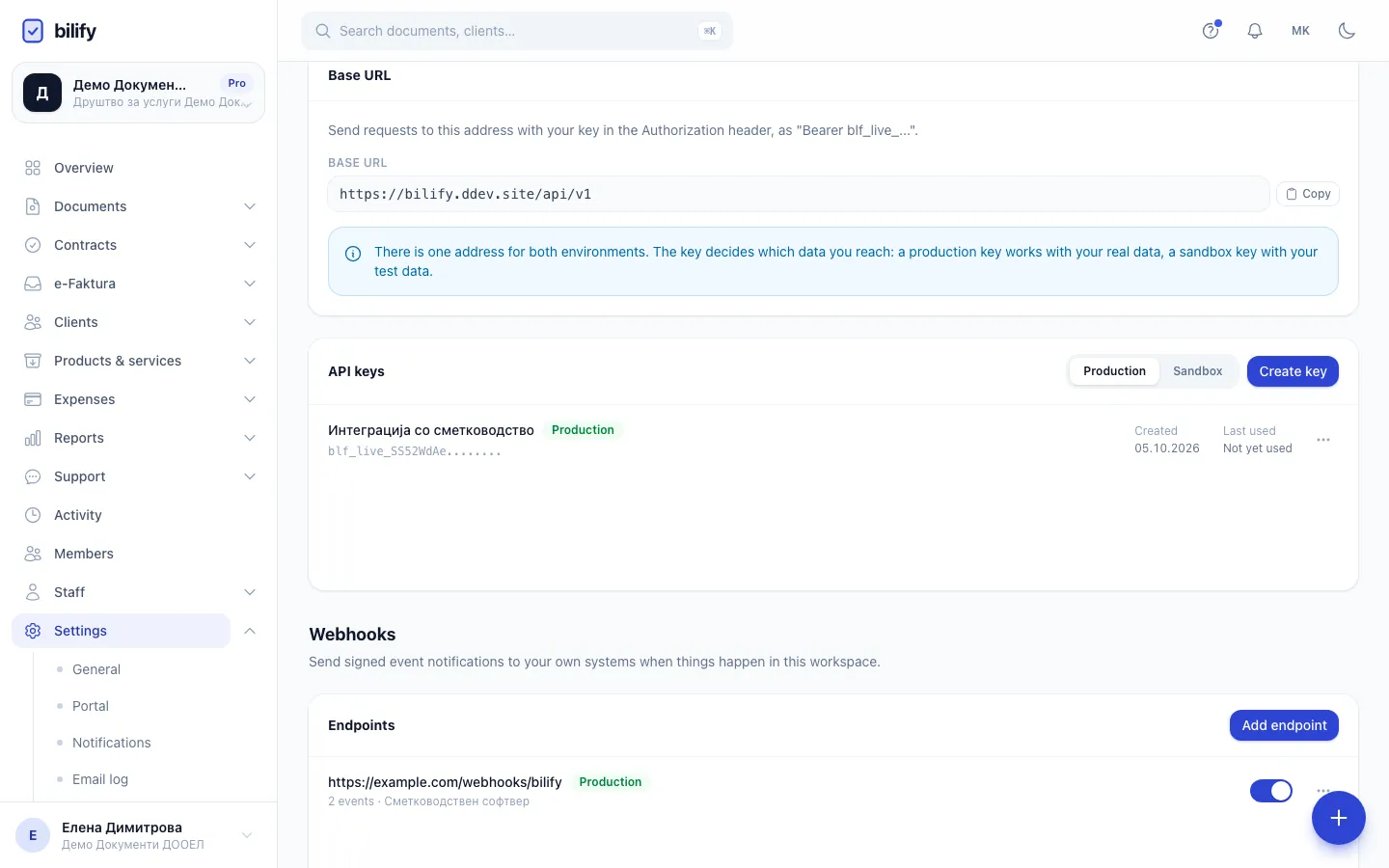
- Step 2: Create key opens the form for a new key.
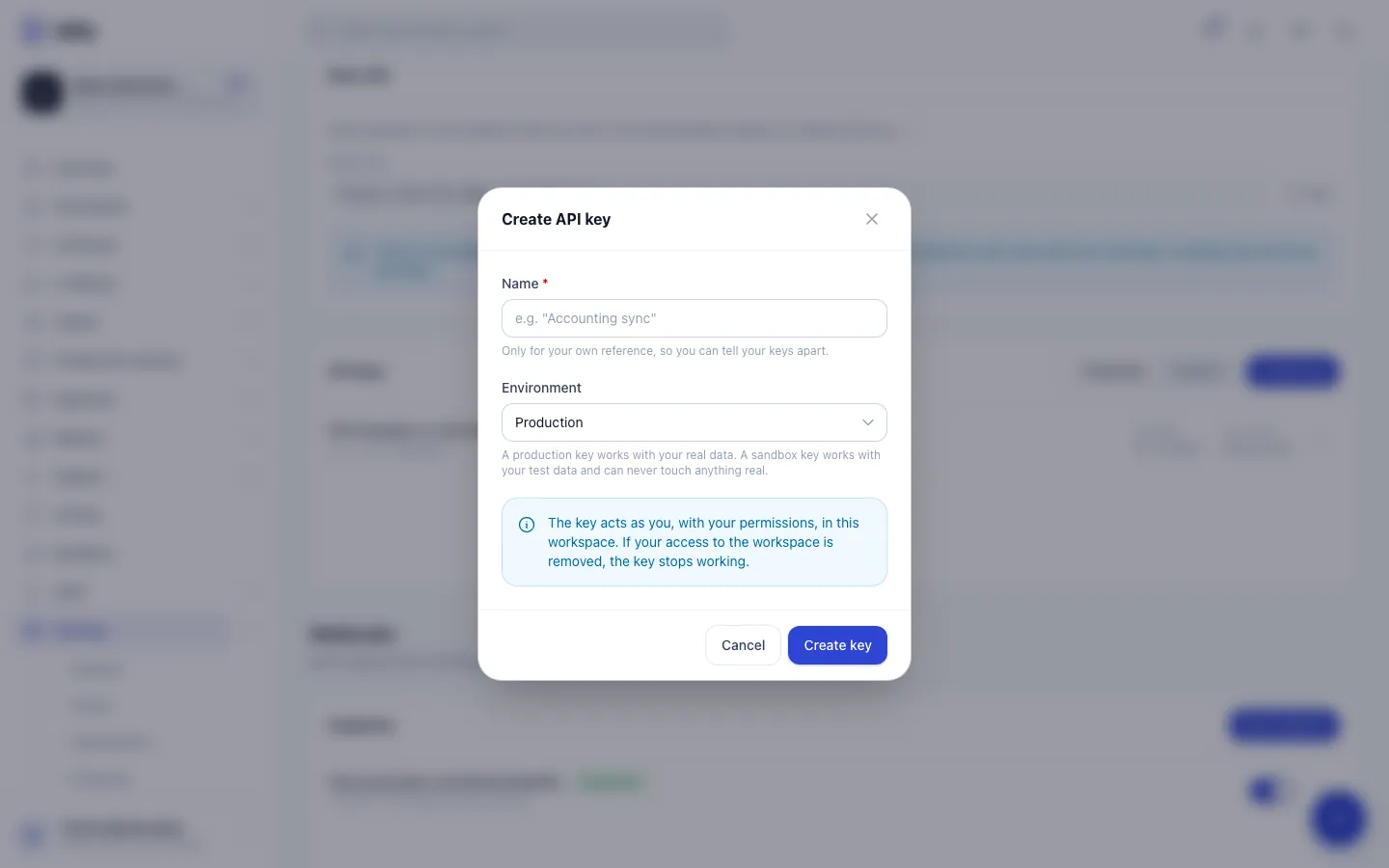
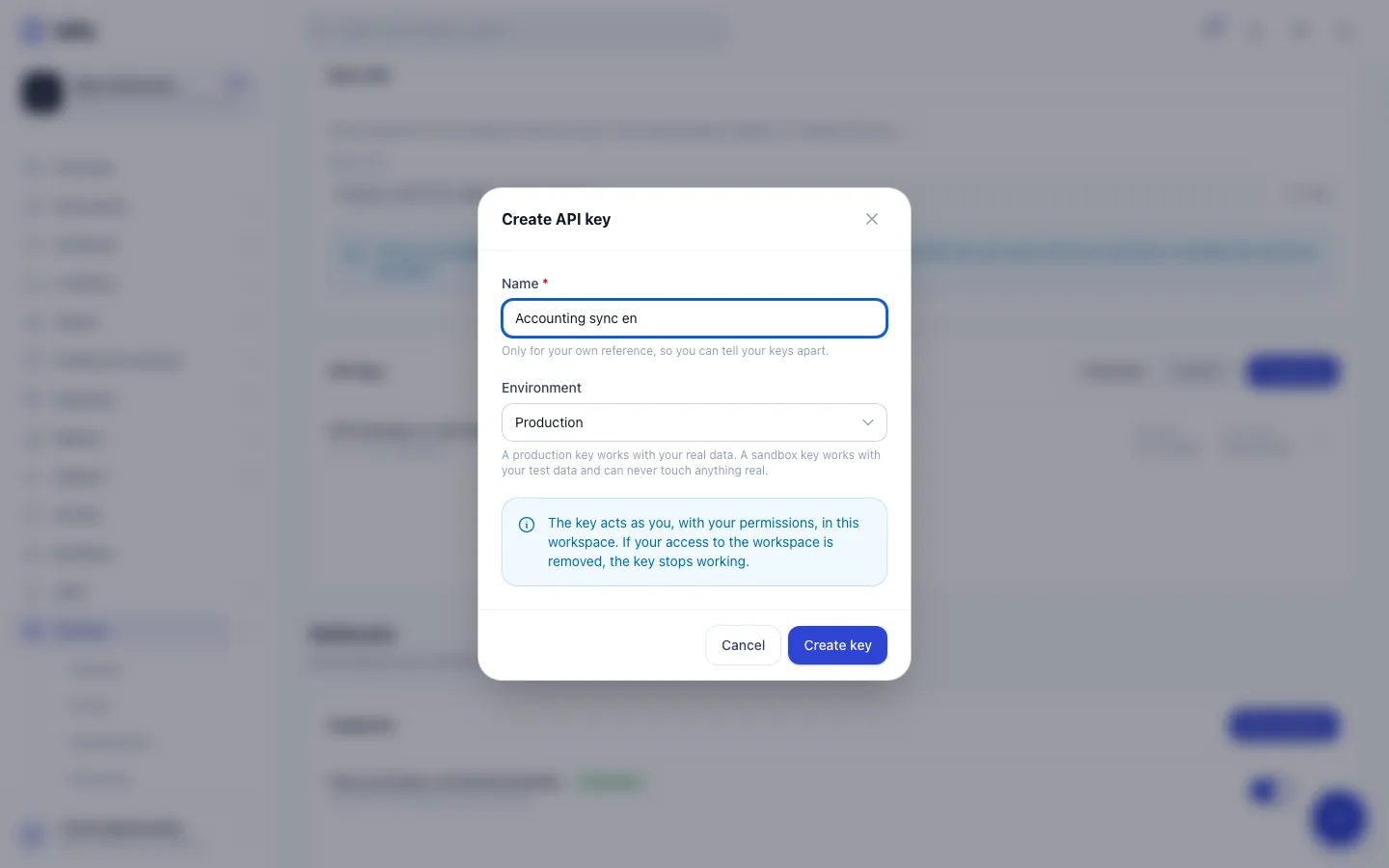
- Step 3: Give the key a name you will recognise later. It is only a label.
- Step 4: Production keys reach your real data. Sandbox keys appear here once the sandbox is enabled.
- Step 5: Create key mints the key. It acts as you, with your role permissions.
- Step 6: Copy the key now and store it safely. It is shown only this once.
- Step 7: Done closes the window. The new key now appears in the list.
- Open Settings > Integrations and scroll to REST API.
- In the API keys card, click Create key.
- Type a Name you will recognise later, for example "Accounting sync". It is only a label for you.
- Choose the Environment: Production works with your real data, Sandbox with your test data. The Sandbox option only appears after you have enabled the sandbox (see Sandbox mode).
- Click Create key.
- Copy the key from the Your new API key window and store it in your password manager or your server's secret store, then click Done.
The key is shown only once
Bilify stores only a fingerprint of the key. After you close the window nobody, including Bilify support, can show it again. If you lose it, roll or revoke it and create a new one.
What the key looks like
| Environment | Prefix | Reaches |
|---|---|---|
| Production | blf_live_ |
Your real workspace |
| Sandbox | blf_test_ |
Your separate sandbox workspace with test data |
Both kinds use the same base URL. The prefix decides which workspace the request reaches. The list shows only the prefix of each key, never the full value, together with Created and Last used.
What a key is allowed to do
A key acts as the person who created it, in this workspace, with that person's role permissions. If the creator is an admin, the key can do what an admin can do in the app. If the creator's access to the workspace is removed, every key they created stops working on the next request.
The REST API also needs the API feature on your package and an active subscription. If either is missing, requests are refused with an error that says so.
Keys have no scopes yet
Keys have no scopes or read-only mode. The database has a field for scopes, but nothing fills it and nothing checks it. To limit what a script can do, create the key from an account whose role only allows those actions. The roles article lists what each role can do.
Every change a key makes is recorded in the activity log under the creator's name, like a change they made in the app.
Roll a key (planned rotation)
Rolling replaces a key without breaking the scripts that use it.
- In the key's row, open the menu (three dots) and choose Roll key.
- Confirm. A new key with the same name and environment is created and shown once. Copy it.
- Deploy the new key to your scripts.
The old key keeps working for 24 hours. It is marked Works until with the exact time, and then it stops working and leaves the list.
Revoke a key (leaked or no longer needed)
- Open the key's menu and choose Revoke.
- Confirm. The key stops working immediately and cannot be restored.
Leaked key? Revoke, do not roll
Rolling leaves the old key working for 24 hours. If a key may have been exposed (pasted in a chat, committed to a repository), revoke it, then create a new one.
Sandbox keys
Sandbox keys (blf_test_) are created here too, in your production workspace, on the Sandbox tab of the API keys card. Inside the sandbox itself the card only shows API keys are managed from production and a Back to production button.
A sandbox key can only ever read and write the sandbox. It cannot reach your real data.
Troubleshooting
| Response | Meaning |
|---|---|
401 invalid_api_key |
The key is missing, mistyped, revoked or past its roll window. The message never says which. |
403 workspace_membership_revoked |
The person who created the key is no longer a member of the workspace. |
403 plan_upgrade_required |
Your package does not include the REST API. |
403 no_active_plan |
The workspace has no active subscription. |
403 sandbox_not_provisioned |
A blf_test_ key was used, but the sandbox is not enabled. |
Was this page helpful?
Related articles
Still stuck?
Write to us and we will get back to you within one working day.